For Pro Point events, students are required to check in to an event when it starts and check out of the event when it ends. This is to ensure that they stayed for the entire event and did not just show up, check in, and leave. Kole created an Excel Workbook that uses some fancy formulas that make this process much easier. Instead of manually entering all the information, we are able to use a magnetic stripe reader that will get the student’s R number from their ID card and then the excel sheet will parse the data, insert a timestamp, and then lookup the student’s name and lab course number. This makes the check in/out process much faster!
How to access and use the sheet:
The spreadsheet is currently stored on the IEEE Teams. It is inside the Pro Points Director channel. Only Pro Point Directors have access to it, so you’ll need to request that it be shared with you if you need it. The Excel workbook has several sheets within it, one for each ProPoint event, a template, and an events page. The first sheet in the workbook is the events page. It contains a list of all past and future events that are planned. It also has the date, time, and amount of Pro Points for that event. Some events will have differing amounts of Pro Points, for those, you should put the different ammounts and what they’re for in the appropriate cell. The next sheet is the template sheet. This sheet should be kept blank as it contains all the formulas that make the spreadsheet work. This sheet should be copied and renamed for new events. To do this, follow these steps:
-
Right-click the
TEMPLATEsheet name at the bottom of the screen, then clickMove or copy. -
In the box the pops up, leave the first box alone (you do not want to change workbook!), in the next box, select the last event that took place, in the image below, it’s an Eagle CAD tutorial. Now click the checkbox for
Create a copy. -
This will create a copy of the template sheet that you can rename by right-clicking on the new sheet name and naming it to whatever your event is. Make sure that you include a date!!
- Once you have the event sheet, you simply need to connect one of the IEEE mag-stripe readers to your computer, this reader emulates a keyboard, so there is no special software or driver needed for it to function. You do need to make sure that users swipe the card in the correct direction though!
- Confirm that the first empty cell in column A is selected, and start swiping RaiderCards! If a students forgets their RaiderCard, you can also manually enter their R number in this column if needed. Please try not to overwrite any of the other cells in the sheet! If needed, you can overwrite the timestamp or names, but this should not be required, for more info, read the next section.
If someone isn’t in lab, how do I add them?
This spreadsheet pulls from the lab roster to get student data (which is why you need FERPA…). If someone is checking into an event and they are not in lab, then you have two choices to add them:
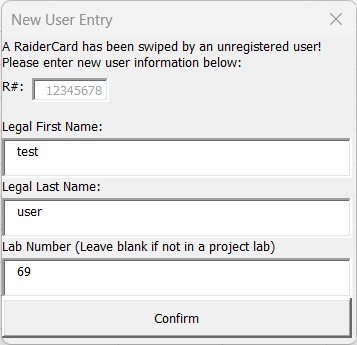
- If you’re using Excel for Windows (NOT the web version), then you can enable Macros for the workbook, then if a student that is not in lab swipes their RaiderCard or enters their R number, you will get a popup box asking for the student’s first and last name, as well as lab number (you can enter anything you want in the lab box, but preferably something along the lines of what they are checking in for. For example, Derek Johnston offers extra credit for many events, so you can put
johnstonorderekin this box. It can also be left blank and will default to 0.) Once this popup is filled out, the user will be added to the roster that the sheet uses and they will be good to go for any future IEEE events!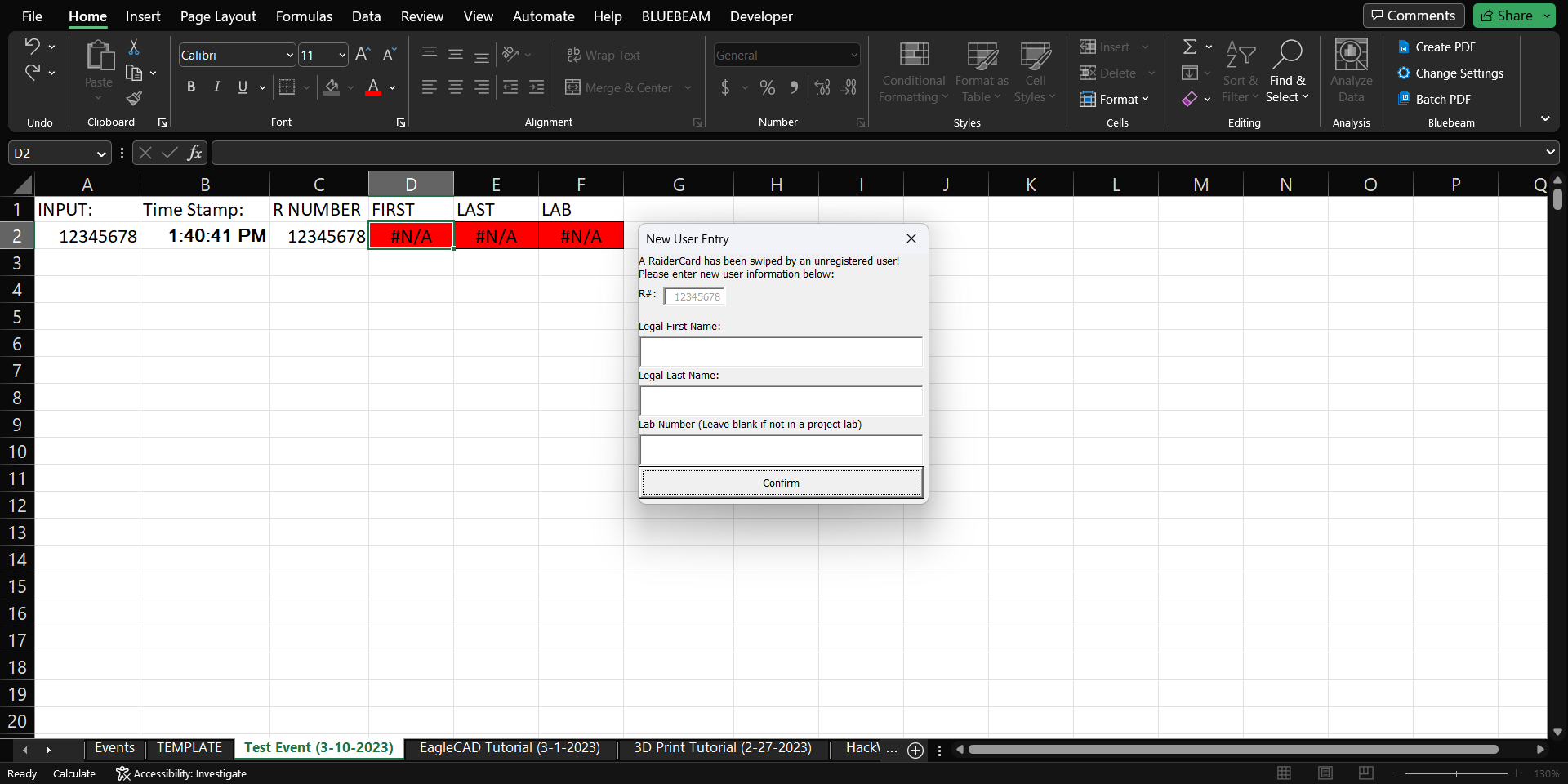
- If you’re using Excel for web or macOS, then you will have to simply overwrite the formulas in the first name, last name, and lab number. There is not currently a way around this. They will not be added to the roster for future events. This is a restriction of VBA scripting.